AI Agents · August 6, 2026 · 4 min read
Approval Required: How Kolo's Human in the Loop Works
Fire-and-forget automation acts without asking. Kolo scores every action by risk and pauses only the consequential ones for human sign-off, with co-approvers, editable intent, and a full audit trail.
By The Kolo Team, Kolo AI
Automation that never asks is a liability
Most automation is built to act without checking back. You write a rule, it fires, and you find out the result afterward. That is fine for moving a file or tagging an email. It is a problem the moment an agent can spend money, message a customer, change a record, or touch a system where a wrong move is expensive to undo. Speed is only useful if you can trust what happens at full speed.
The usual fix is to make a person confirm everything. That trades one problem for another, because an assistant that stops to ask permission for every small step is slower than doing the work yourself. Kolo is built around a middle path: let the safe, routine work move on its own, and put a human in the loop exactly where the stakes justify it.
Not every action carries the same weight
Kolo scores each action it wants to take as low, medium, or high risk before it runs. Reading a document, drafting a summary, or pulling a report is low risk, so it proceeds. Sending an external message, updating a customer record, or moving money is a different category, and Kolo pauses those for a person to sign off. The rating reflects impact and reversibility, the same factors security teams use when they decide how much oversight an action needs.
This is the core distinction from fire-and-forget automation. A rule engine treats a refund and a spreadsheet edit the same way, as tasks to execute. Kolo treats them as actions with consequences and weights them accordingly, so oversight lands where it matters instead of everywhere or nowhere.
What happens when Kolo pauses
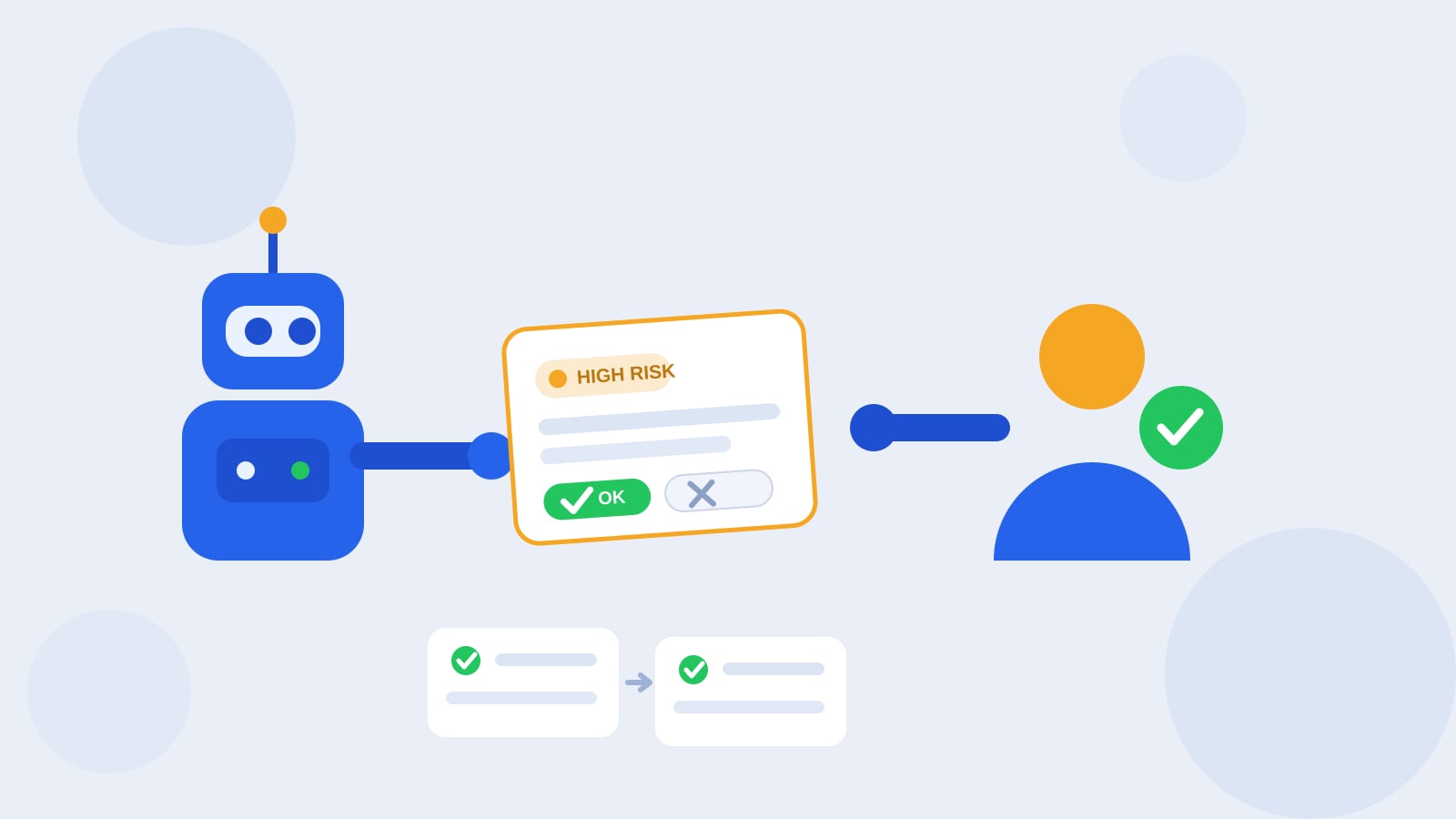
When an action needs review, Kolo does not simply stop and wait. It surfaces the action with the specifics: what it intends to do, on which system, and with what content. The reviewer has three moves, not one.
- Approve it and Kolo carries out exactly what was shown.
- Edit the intent first, then approve. If the draft reply needs a different tone or the amount is off, you correct it in place and the corrected version is what runs. You are not stuck choosing between an imperfect action and no action.
- Reject it with a reason. The rejection is not a dead end. Kolo reads the reason and adjusts its next attempt, so "do not offer a discount, propose a call instead" steers the follow-up rather than just blocking this one.
Because the reviewer sees the concrete action rather than a vague summary, sign-off is a quick, informed yes or a specific redirection, not a leap of faith.
High-risk actions can call for a second set of eyes
Some actions are consequential enough that one approval is not enough. For those, Kolo can require a co-approver, so a high-risk step needs a second person to sign off before it runs. That mirrors how careful teams already handle large payments or sensitive changes, where a single click should never be able to commit the whole company. The point is not friction for its own sake; it is matching the number of people in the loop to how much a mistake would cost.
Approvals are tied to roles. Kolo separates who can do work from who can approve it, with Admin, Approver, and Contributor roles in a shared workspace. A Contributor's higher-risk actions route to an Approver, and Admins set the shape of the whole thing. Everyone still has their own Kolo; the roles decide who signs off on what.
Rejections teach the agent
The reason field on a rejection does more than record a no. Because Kolo carries that context forward, a review becomes a way to shape behavior over time. Correct the same kind of action twice and you are effectively coaching the agent on how your business wants that work done. This is the difference between a tool you police and one you improve. Fire-and-forget automation gives you no such lever; when it does the wrong thing you rewrite the rule and hope you covered the next case.
Every decision is on the record
Approvals only build trust if you can look back at them. Everything Kolo does, including which actions were approved, by whom, and any reasons attached to a rejection, lands in a full audit trail you can filter and export. When someone asks what happened, the answer is a record you can pull, not a reconstruction from memory. For teams in regulated or client-sensitive work, that exportable trail is often the difference between being able to adopt an AI agent at all and having to keep it at arm's length.
Oversight without the bottleneck
Keeping a person in the loop is now a recognized safeguard rather than a nice-to-have. The NIST AI Risk Management Framework names human oversight as a core risk-management practice, and industry guidance increasingly recommends mapping actions by risk and reversibility so the level of review matches the stakes (human-in-the-loop oversight guidance, accessed August 2026). Kolo puts that principle into the product directly: routine work runs, consequential work pauses, high-risk work can require two people, and all of it is logged.
That balance is the whole idea. You get the speed of an agent that handles the everyday flow on its own, and the control of a human sign-off on the actions where being wrong actually hurts. See how risk-tiered approvals would fit your team and Book a Demo.
Frequently asked questions
Does Kolo ask for approval on every single action?
No. Kolo scores each action low, medium, or high risk and lets routine low-risk steps run on their own. It pauses for human sign-off on the consequential ones, so you are not clicking approve on every message the agent sends.
Who can approve an action in Kolo?
Approvals map to roles. People in an Approver or Admin role can sign off on the actions that need review, while Contributors do the work and route higher-risk steps for approval. High-risk actions can be configured to require a second approver.
Can I change what the agent is about to do before I approve it?
Yes. When Kolo pauses an action for review, you can edit the intent before it runs rather than only accepting or rejecting it. You can also reject with a reason, and Kolo uses that reason to adjust its next attempt.
Where can I see what was approved and what ran?
Every action Kolo takes, including who approved it and any rejection reasons, lands in a full audit trail you can filter and export. That gives you a record of what happened, not just what was discussed.