Product Updates · October 29, 2026 · 5 min read
Introducing Kolo Sites: a living page built on your business data
Ask Kolo for a dashboard or report and it builds a real web page from the apps you have connected, keeps it current on a schedule, and lets you control exactly who can open it.
By Paul Willmes, COO, Head of Product at Kolo
The work was good. It just had nowhere to live
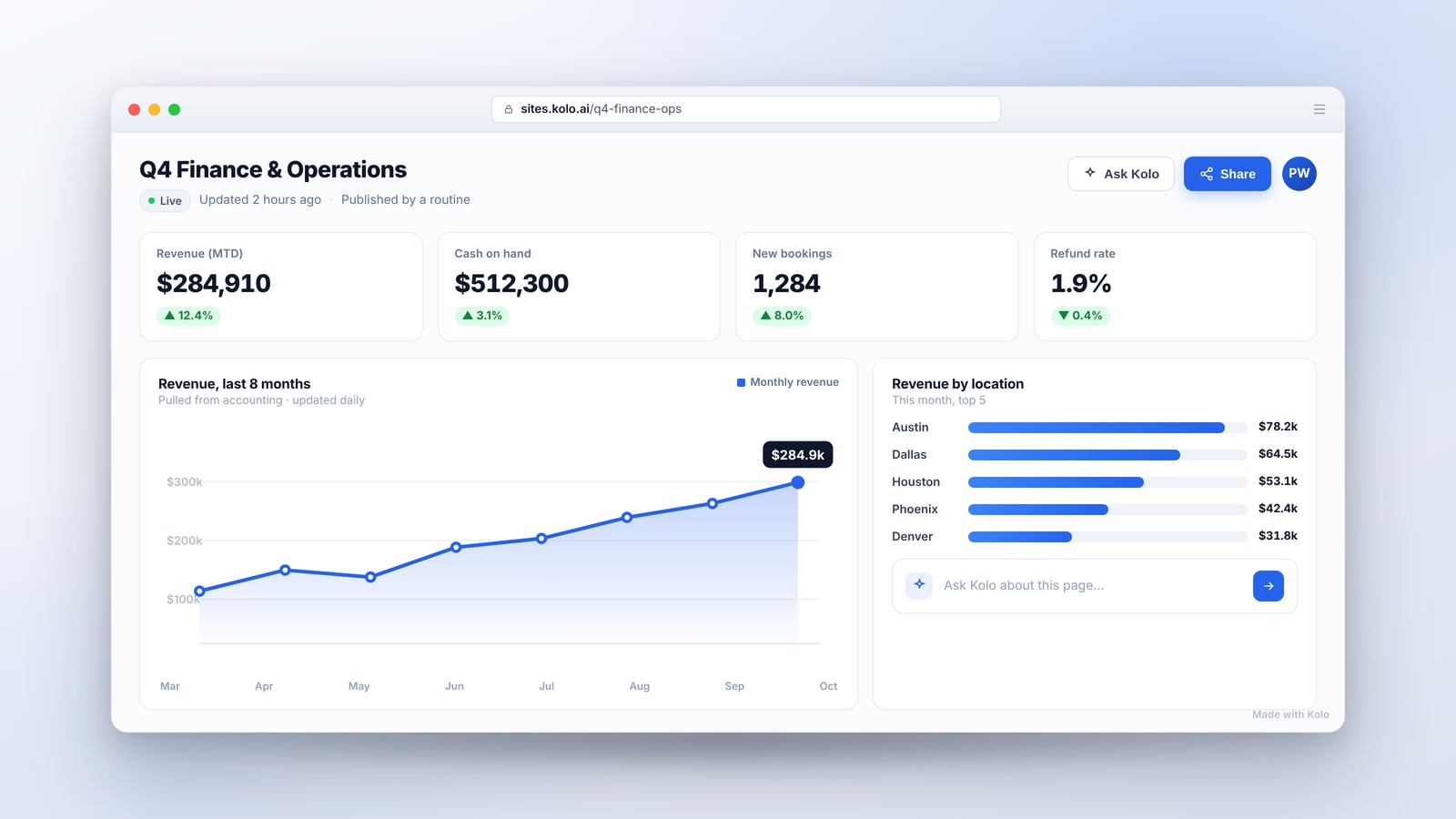
People lean on Kolo for a lot of real work: pulling numbers together, planning a week, pattern-matching across a pile of data, writing something up. The answers were good, and anyone in the chat could read them. The problem was what happened next. The result sat in a thread as a wall of text. There was no way to see the work laid out the way you would take in a dashboard or a one-page report, and the moment the underlying numbers moved, the answer in the thread was already out of date.
We wanted the outcome of that work to be something you can see at a glance, come back to tomorrow, and trust to be current. That is Kolo Sites, and it is live now.
Ask for a page, get a real one
You ask your Kolo for a dashboard, a report, or a page, and it builds a real website from the apps you have connected. A finance lead asks for a cash-position page. An operator asks for a weekly pipeline view. A manager asks for a tracker they can glance at each morning. Kolo writes the page and publishes it, and you get a link you can open in any browser. You will find everything you have made on the Sites page in Kolo, at app.kolo.ai/sites.
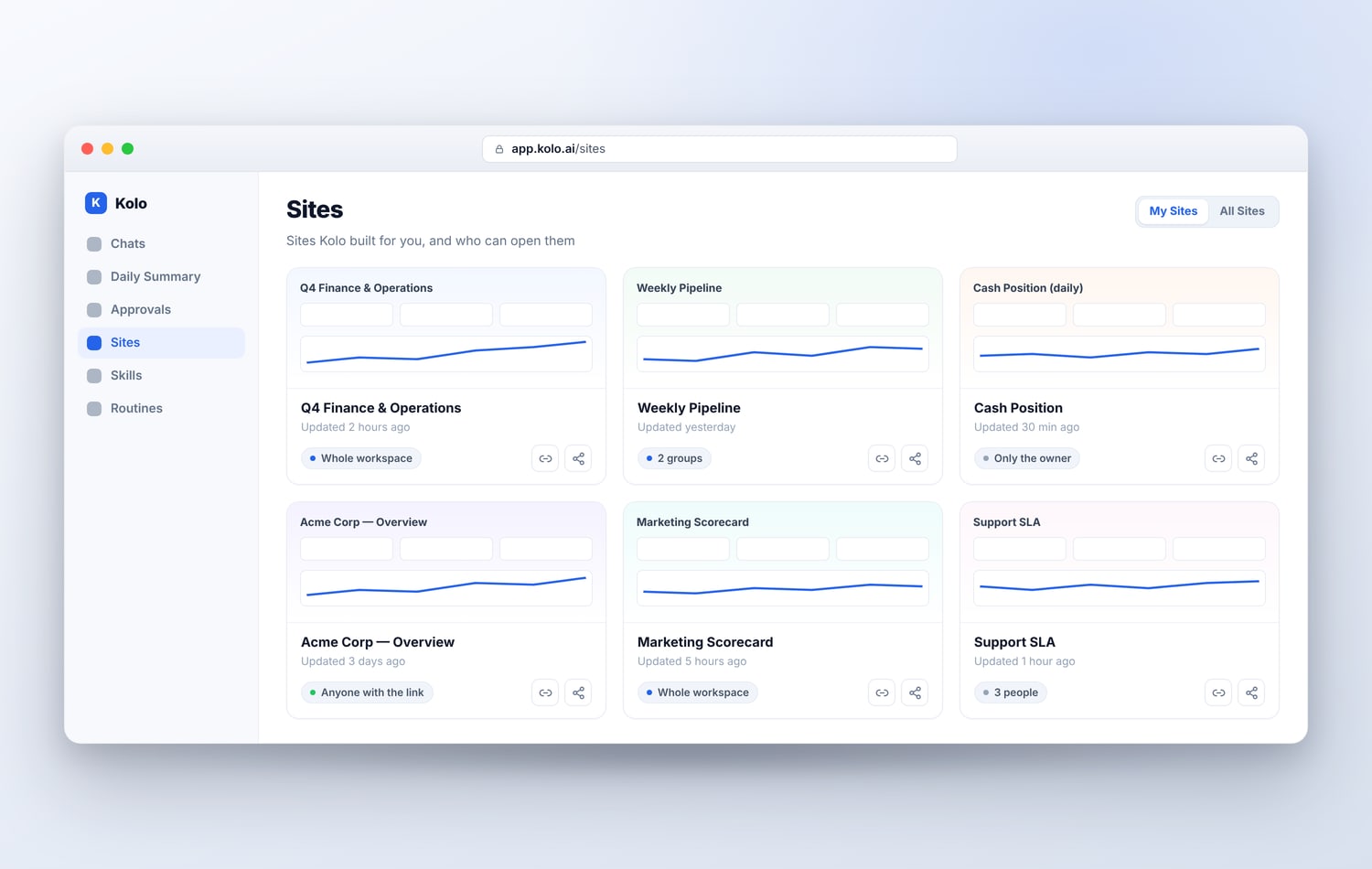
There are five things that make a Kolo Site different from a page you would get anywhere else.
Your real data, not sample numbers
A Kolo Site is built from the apps you have already connected, so it shows your actual revenue, your actual pipeline, your actual bookings, not a template with placeholder figures. Because Kolo reaches across 150+ integrations, the same page can pull from your accounting, your CRM, and your calendar at once. The result reads like a report your team would recognize, because the numbers are theirs.
It stays current by itself
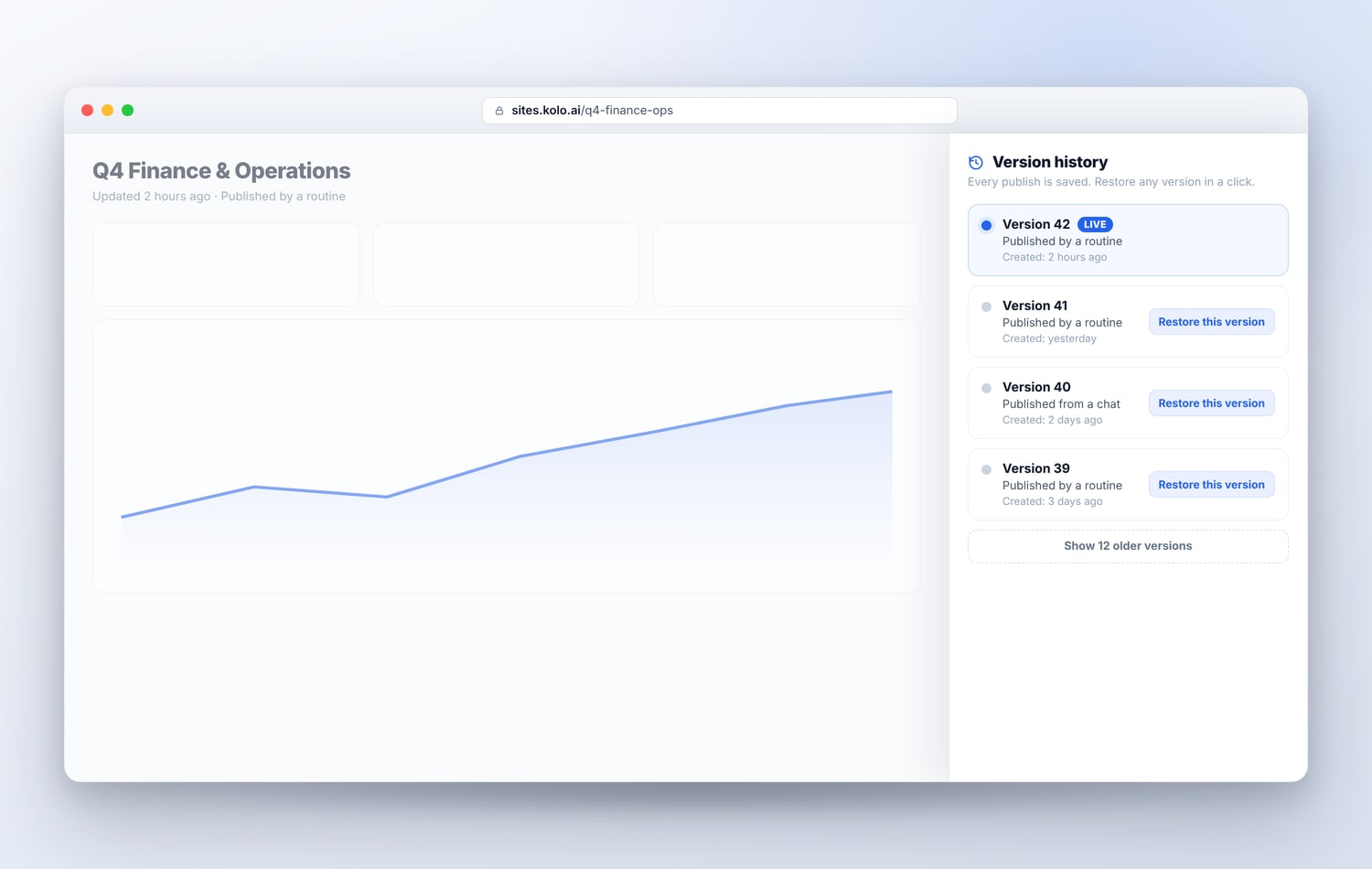
A static export is stale the day after you make it. A Kolo Site does not have to be. A routine can refresh the site's data on a schedule, so a weekly KPI page or a daily cash view updates itself while you sleep. The page you shared on Monday is still the page people check on Friday, with fresh numbers behind it. In the version history, a refresh shows as "Published by a routine," so you can always see how a page got to where it is.
A link you control
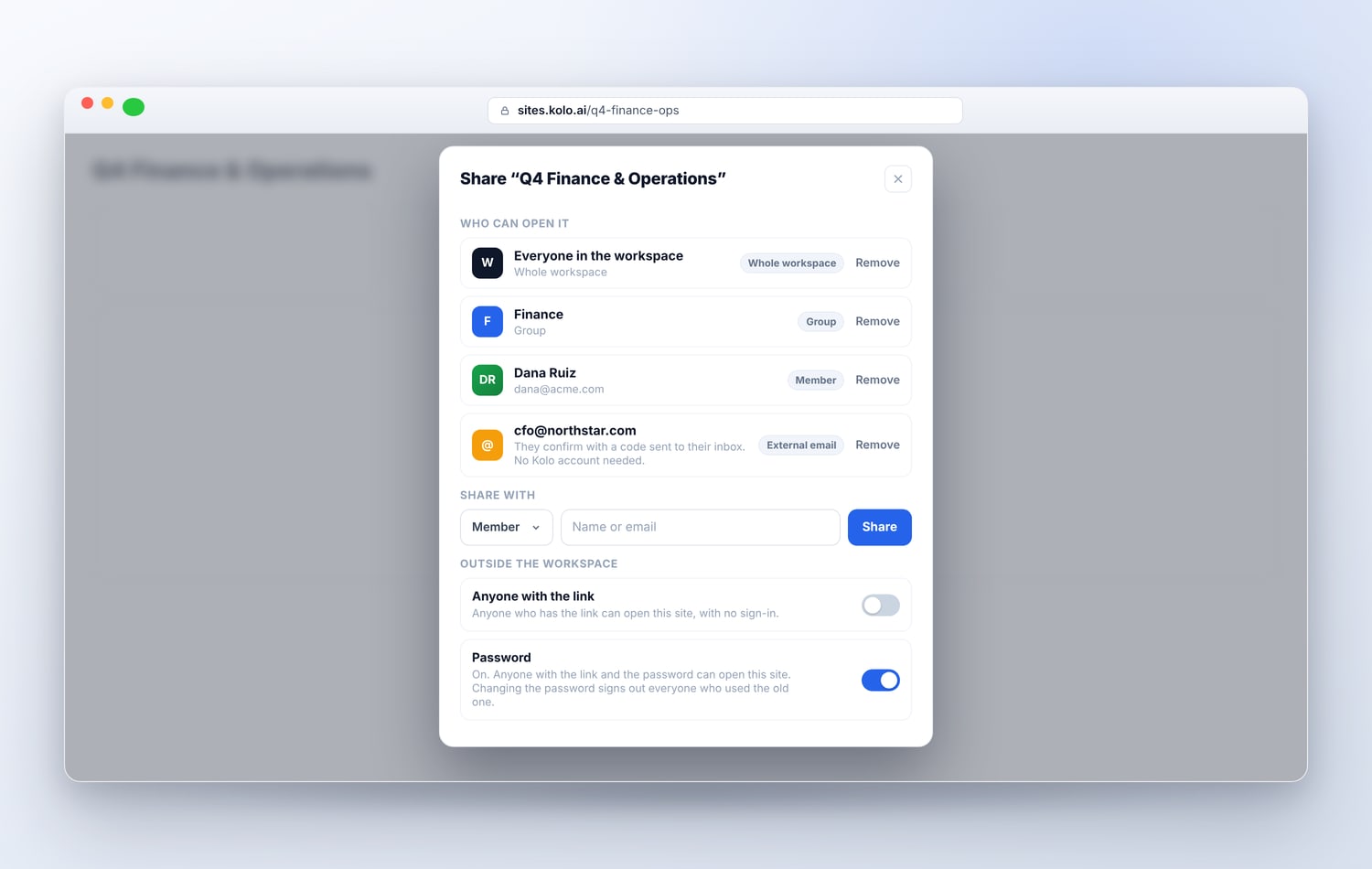
A new site is private to you until you decide otherwise. When you are ready to share, the Share dialog lets you choose exactly who can open it: your whole workspace, specific groups or Team Members, people outside the workspace by email (they confirm with a code sent to their inbox and need no Kolo account), or anyone who has the link. You can put a password on a link so only people with both the link and the password get in. Change the password and everyone who used the old one is signed out. It is the kind of control you want before you send a page with real business numbers to someone outside the building.
Ask Kolo, right on the page
A page raises questions. "Why did this dip in March?" "Which region is that?" On a Kolo Site you can turn on Ask Kolo, and the Team Members in your workspace who can open the page get to ask about it in plain language. The answers use only what the site shows, so nothing behind the page leaks out, and they run on your Kolo and your credits, which is why only the owner turns it on. For the colleagues you share a report with, it turns a static page into something they can actually interrogate. (People who open a site by link, password, or an emailed invite can read it but do not get Ask Kolo.)
Roll back in a click
Every time a site is published, that becomes a new version, and the live one is marked "Live" in the history. If a refresh ever lands bad data, or you simply want last week's numbers back, you restore an earlier version in a click. Restoring does not overwrite anything, it adds a new version on top, so you can undo the undo. Kolo keeps a deep history of recent versions for every site, so the one you want to roll back to is there when you reach for it.
Before the first sales call
Here is a use we did not expect to love as much as we do. Before a meeting with a prospect, have your Kolo build a page tailored to them: a sample dashboard for their kind of business, or a short overview of what Kolo would do for their team. Send them the link ahead of the call. It shows what Kolo can do far better than a slide can, because it is a working thing, not a picture of one. And once that prospect becomes a customer, their own data can fill the very same page. The demo becomes the product.
Where this fits
ChatGPT and Claude can write you a page, and they do it well. The difference with Kolo Sites is what the page runs on and what it does afterward: it is built on your business data, it stays current through a routine instead of going stale, and you control who sees it with the same care Kolo brings to the rest of your work. Everything a site does rides on the same foundation as the rest of the product, including the risk-tiered approvals that pause the actions that matter and the exportable Audit Trail that records them.
See it with your own numbers
The fastest way to understand Kolo Sites is to ask for one. Point your Kolo at a report you make by hand every week and ask it to build you a page, then set a routine to keep it fresh. If you want to see Sites and the rest of Kolo working for your team, Book a Demo.
Frequently asked questions
What is a Kolo Site?
A web page your Kolo builds for you, such as a dashboard, a report, or a KPI tracker, from the apps you have connected. It opens in any browser, and you decide who can see it.
How does a site stay up to date?
A routine can refresh the data on a schedule, so a weekly numbers page updates itself. Each refresh is a new version, and viewers see when it was last updated.
Who can open a site I create?
A new site is private to you. From the Sites page you can share it with your whole workspace, with specific groups or Team Members, with people outside the workspace by email, or with anyone who has the link, and you can require a password.
Can people ask questions about a site?
Yes, for Team Members in your workspace. You can turn on Ask Kolo for a site, and the Team Members who can open it get to ask questions about it. Answers use only what the site shows, and they run on your Kolo and your credits. People who open a site by link, password, or an external email invite can view it but do not get Ask Kolo.